

Weekly matchups
Each week the app pairs available players within their division on your courts and times. Results build the season table, the season can end in playoffs, and every league is set up around your club’s rules.
Built for tennis, and just as easy to set up for pickleball, padel, squash or any similar racquet sport.
One season, four steps.
Divisions, a fresh draw each week, a table that builds itself, and playoffs at the end.
Step 1: Divisions by level
Players are grouped into divisions by level, and each week's matches are played inside a division.
Step 2: A weekly draw around availability
Players say whether they can play. The app pairs the ones who can, on your courts and times, balancing court time and preferring fresh opponents.
Step 3: The season table
Players enter their scores and the table for each division updates on its own.
Step 4: Playoffs
At the end of the season, playoff brackets are seeded from the table, and winners move through to a final.
Everything a season needs.
The week's work, done in the app.
- A scheduler that balances court time and prefers fresh opponents — then explains itself in “Why this schedule?”.
- A wait ladder for the weeks the courts run short: whoever has sat out longest plays first.
- Playoff brackets seeded from the season table.
- Players mark the weeks they can play from their phones, and you see every answer in one grid: available, can’t play or not answered.
- Publish the week and every player gets their opponent, time and court by email and push.
- Availability and score reminders go out on their own, on the schedule you choose.
80% framework, 20% yours — courts, nights, divisions, scoring and rules are set with you.
What a week looks like.
Real screens from a demo league.
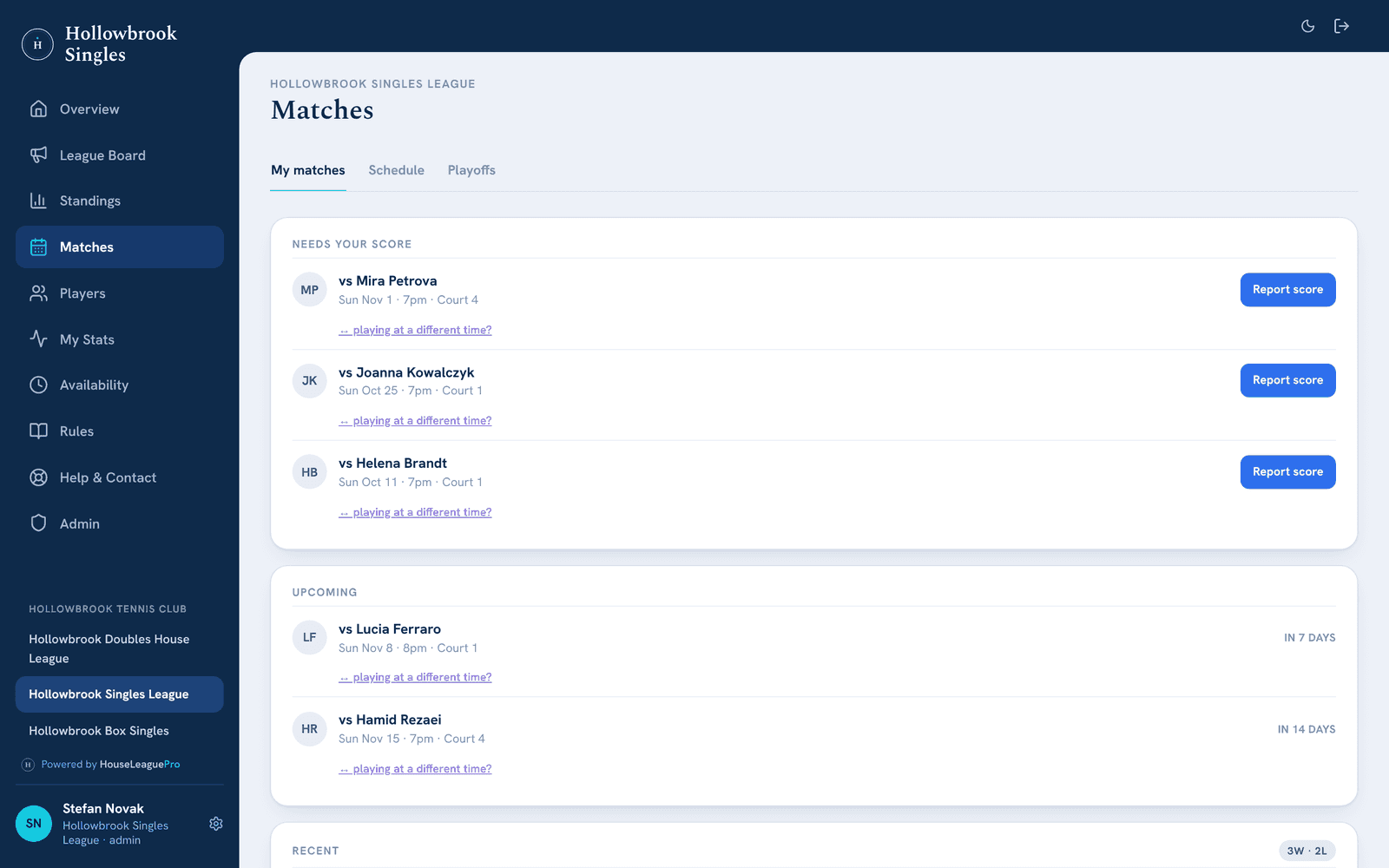
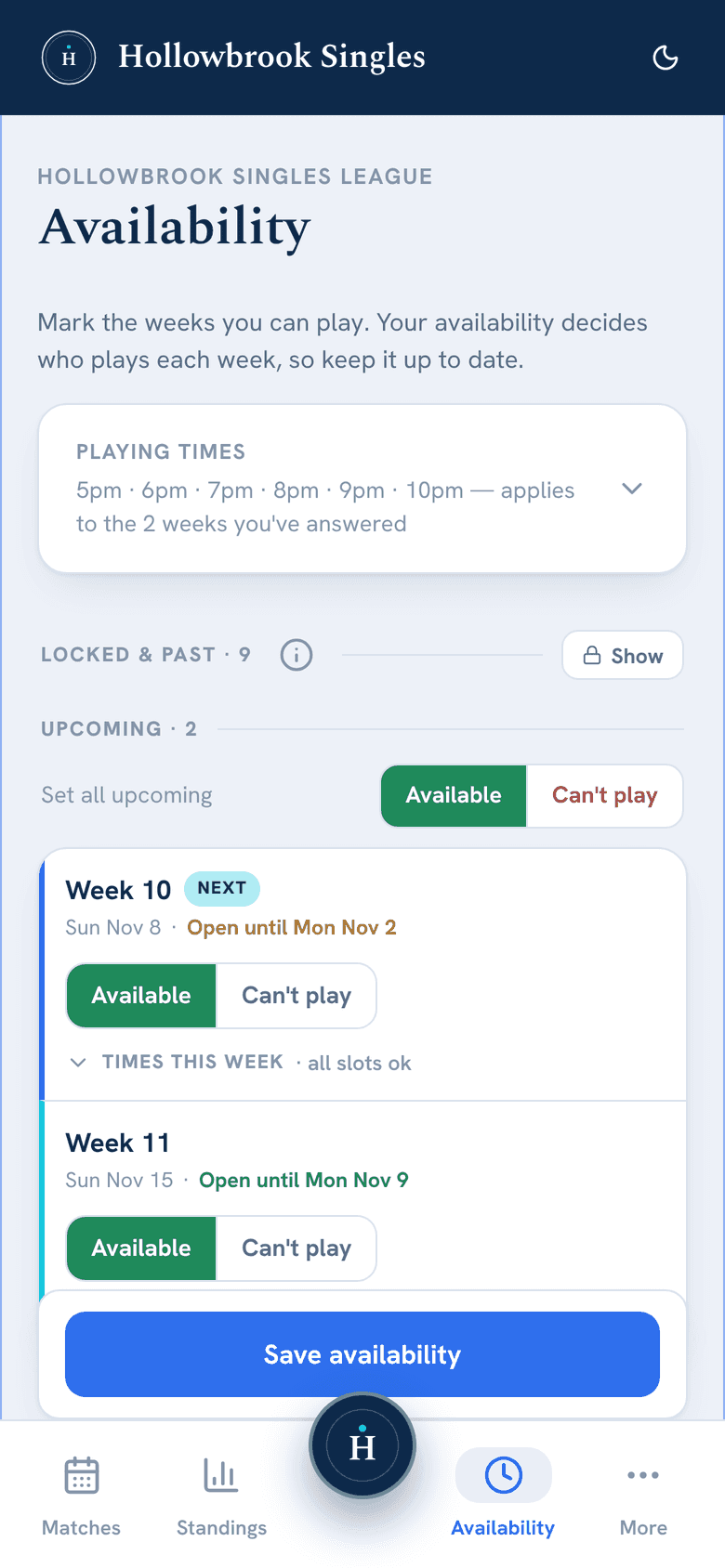
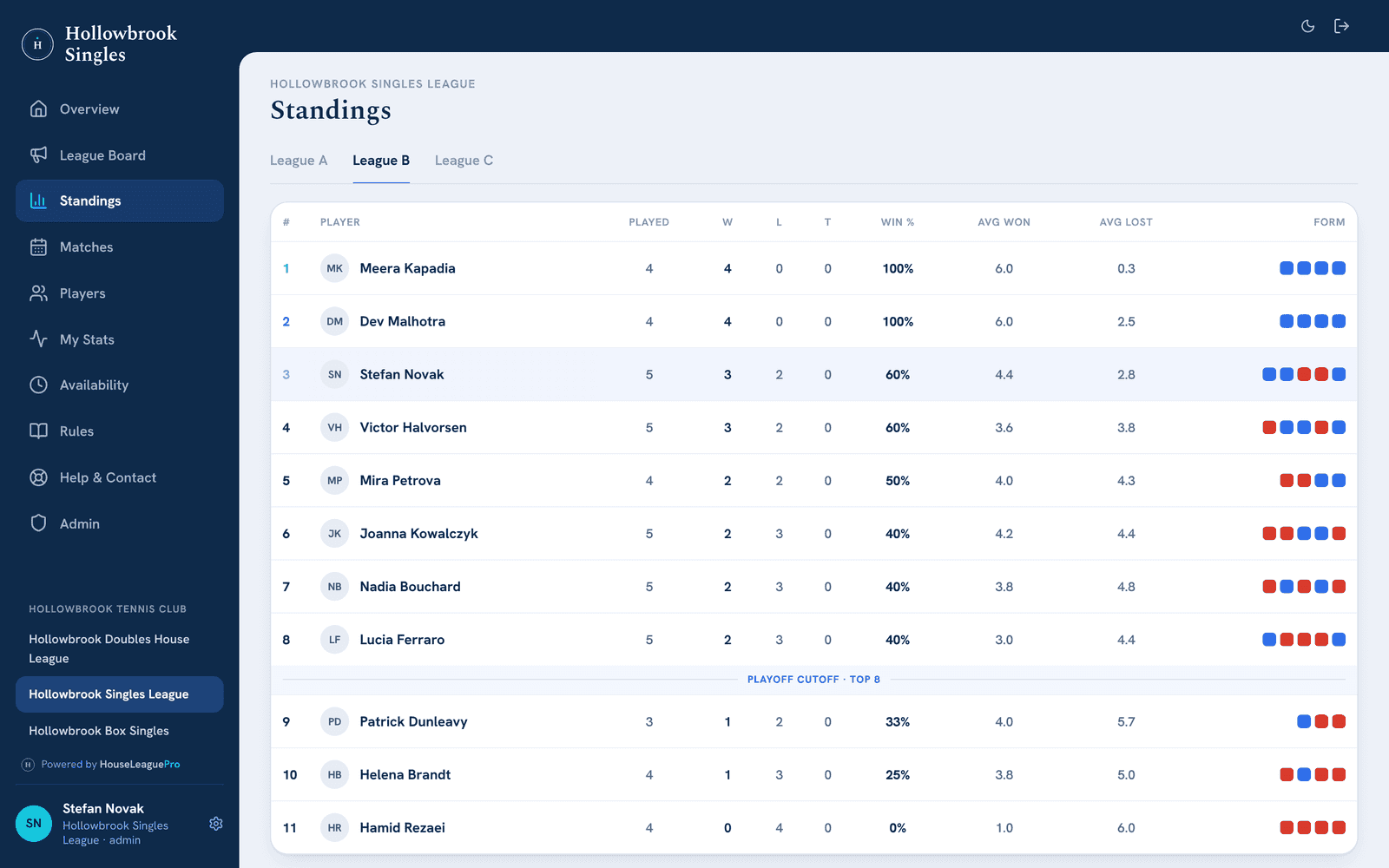
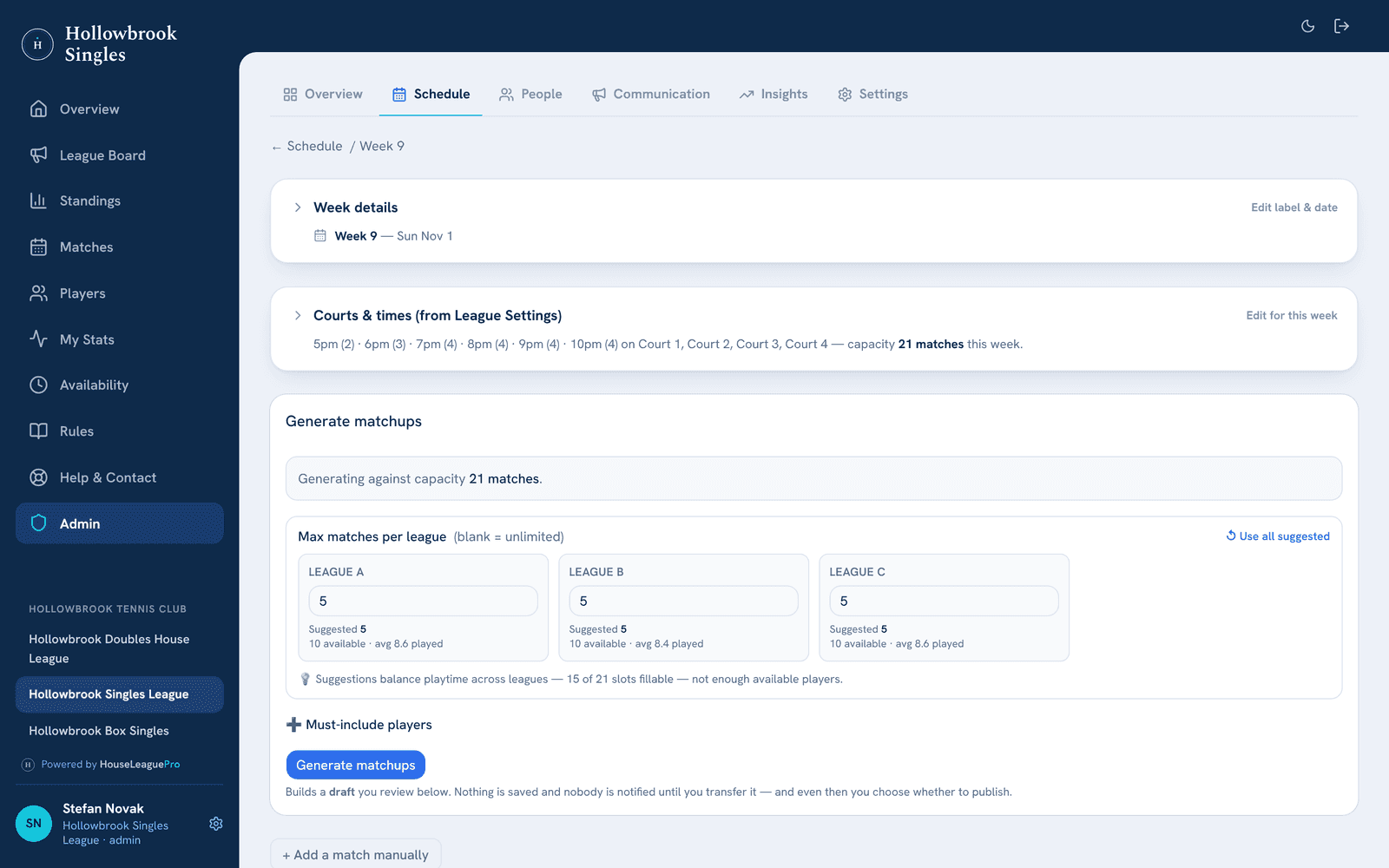
A week in the life of weekly matchups.
An imagined singles league with three divisions, from the first availability answer to the next morning’s table.
Early in the week
Players say if they can play
Each player marks match night as available or not from their phone, before the cutoff the league has set.
In the app: Availability
Before the cutoff
A reminder, and one grid
An availability reminder goes out on its own. The organizer sees who hasn’t answered and can fill one in for a player who mentions it at the club.
In the app: Availability grid
After the cutoff
Generate matchups
One button builds the week’s draft inside each division, on the league’s courts and times. “Why this schedule?” explains the choices.
In the app: Generate matchups
When it looks right
The schedule goes out
The organizer publishes the week. Every player gets their opponent, time and court by email and push.
In the app: Schedule email
Match night
Scores from the court
After each match either player enters the score from their phone. If it rains, one rainout notice tells the players of the washed-out times.
In the app: Matches
The next morning
The table is up to date
Each division’s table already shows the results. A score reminder goes to anyone who still owes one.
In the app: Standings
Weekly matchups suit you if…
You have a club night with set courts and times.
The app fills your courts each week, so the slots you book are the slots that get played.
Your players can’t make every week.
Each week is drawn from the players who said yes, and the scheduler balances court time for the ones who sat out.
You want a season that builds to something.
Divisions keep matches close, the table keeps score, and the season can end in playoffs.
Questions about weekly matchups
Can I see who hasn't answered for next week?
Yes. The availability grid shows every player's answer for each week: available, can't play or not answered. You can fill one in for a player who tells you in person, and availability reminders go out on their own, on the schedule you set.
What happens when it rains?
If the rainout feature is enabled, send a rainout notice for the week or just the washed-out time slots. Players then choose in the app: arrange their own make-up time, or skip. A skipped match stays on the schedule marked rained out and counts for nothing — no win, no loss, no strike — and the scheduler knows they didn’t play.
What do you need from us to get started?
Your roster, with each player's name and email address, and how your league runs: format, divisions, nights and time slots, courts and rules. We set the league up from that, walk your organizers through it, and support you through your first scheduled week.
Let's talk about your league.
Book a free intro call and live demo — we'll learn how your league runs and show you exactly how HouseLeaguePro fits. No pressure, no obligation.